
Wednesday, 5 November 2014

Tuesday, 4 November 2014
Tuesday, 9 September 2014
2D Character Controller Improvements
I spent today improving my 2D character controller from yesterday.
I have now coded a way for the player to pick up a certain power-up that lets them destroy objects in the scene.

I have also stopped the issue that made the character 'stick' to walls if a directional button was being pressed by creating a 2D Physic Material that gives the character 0 friction while he is not grounded.

I have fine tuned the punch/attack script to allow the punches to use 2d Colliders and 2D Rigidbodies without interacting with the player. I did this by making the actual colliders only cover the very front of the attack instantiation.

I also successfully recreated my climbing script from the default Unity Character Controller. I reduced the complexity of the code as well.

I have now coded a way for the player to pick up a certain power-up that lets them destroy objects in the scene.
I have also stopped the issue that made the character 'stick' to walls if a directional button was being pressed by creating a 2D Physic Material that gives the character 0 friction while he is not grounded.
I have fine tuned the punch/attack script to allow the punches to use 2d Colliders and 2D Rigidbodies without interacting with the player. I did this by making the actual colliders only cover the very front of the attack instantiation.
I also successfully recreated my climbing script from the default Unity Character Controller. I reduced the complexity of the code as well.
Sunday, 7 September 2014
Character Movement for 2D
I have created a new controller for the character. I have made this new controller so it will interact better in a 2D environment. Previously I used the default Unity Character Controller to control the character. While this worked for a while it soon became apparent that it was not optimized for a 2D platformer.

Tuesday, 26 August 2014
CodeVoidUpdate
void Update () {
UpdateCamera ();
theSpriteScale = transform.localScale;
if (Input.GetKeyDown(KeyCode.LeftArrow)|| Input.GetKeyDown(KeyCode.A))
{
spriteFaceRight = false;
spriteFaceLeft = true;
}
if (Input.GetKeyDown(KeyCode.RightArrow)||Input.GetKeyDown(KeyCode.D))
{
spriteFaceLeft = false;
spriteFaceRight = true;
}
if (spriteFLeftLock)
{
spriteFaceLeft = false;
print("leftLock");
}
if (spriteFRightLock)
{
spriteFaceRight = false;
print ("rightLock");
}
if (spriteFaceLeft)
{
theSpriteScale.x *= -1;
transform.localScale = theSpriteScale;
spriteFLeftLock = true;
spriteFRightLock = false;
spriteFaceLeft = false;
print ("spriteFaceLeft");
}
if (spriteFaceRight)
{
theSpriteScale.x *= -1;
transform.localScale = theSpriteScale;
spriteFRightLock = true;
spriteFLeftLock = false;
spriteFaceRight = false;
print("spriteFaceRight");
}
if ((Character_Controller.collisionFlags & CollisionFlags.Sides) == 0)
{
isClimb = false;
}
if (cactusPower == true) {
if ((Character_Controller.collisionFlags & CollisionFlags.Sides) != 0)
{
isClimb = true;
}
if (isClimb == true) {
if (Input.GetKey(KeyCode.LeftArrow)|| Input.GetKeyDown(KeyCode.A))
{
faceRight = false;
faceLeft = true;
}
if (Input.GetKey(KeyCode.RightArrow)|| Input.GetKeyDown(KeyCode.D))
{
faceLeft = false;
faceRight = true;
}
gravity = 0.0f;
climbDir = new Vector3 (0, Input.GetAxis ("Vertical"), 0);
climbDir = transform.TransformDirection (climbDir);
climbDir *= climbSpeed;
print ("climbing=true");
Character_Controller.Move (climbDir * Time.deltaTime);
if (Input.GetButtonDown ("Horizontal"))
{
if ((Time.time - lastTapTime) < doubleTapTime)
{
moveDirection = new Vector3 (Input.GetAxis ("Horizontal"), 0, 0);
moveDirection = transform.TransformDirection (moveDirection);
moveDirection *= Speed;
print ("doubletap");
isClimb = false;
}
lastTapTime = Time.time;
}
}
if(faceLeft == true)
{
if (Input.GetButtonDown ("Jump"))
{
climbDir = new Vector3 (1, 0, 0);
climbDir = transform.TransformDirection (climbDir);
climbDir *= jumpOffSpeed;
print ("jumpLeft");
}
}
if(faceRight ==true)
{
if (Input.GetButtonDown ("Jump"))
{
climbDir = new Vector3 (1, 0, 0);
climbDir = transform.TransformDirection (climbDir);
climbDir *= jumpOffSpeed;
print("jumpRight");
}
}
}
if (isClimb == false)
{
if (Character_Controller.isGrounded)
{
moveDirection = new Vector3(Input.GetAxis("Horizontal"),0,0);
moveDirection = transform.TransformDirection(moveDirection);
moveDirection *= Speed;
this.drift ();
if (Input.GetButton("Jump"))
{
moveDirection.y = jumpSpeed;
}
}
if (GameObject.FindWithTag("PunchHand") != null) //this will stop more punches happening
{
print("allowpunchfalse");
allowPunch = 0;
}
if (GameObject.FindWithTag("PunchHand") == null)
{
print("allowpunchtrue");
allowPunch = 1;
}
if (allowPunch == 1)
{
Rigidbody2D clone;
if (Input.GetKey(KeyCode.LeftArrow)|| Input.GetKeyDown(KeyCode.A))
{
faceRight = false;
faceLeft = true;
}
if (Input.GetKey(KeyCode.RightArrow)|| Input.GetKeyDown(KeyCode.D))
{
faceLeft = false;
faceRight = true;
}
if (faceLeft == true)
{
if (Input.GetButtonDown("Punch"))
{
print("faceLeftTrue");
clone = Instantiate(spawnSpriteLeft, transform.position, transform.rotation) as Rigidbody2D;
clone.velocity = transform.TransformDirection(Vector3.forward * 10);
/*float punchmovement = Time.deltaTime *punchprojSpeed;
transform.Translate(-punchmovement,0,0);
Destroy (spawnSpriteLeft, punchlifetime);*/
}
}
if (faceRight == true)
{
if (Input.GetButtonDown("Punch"))
{
print("faceRightTrue");
clone = Instantiate(spawnSpriteRight, transform.position, transform.rotation) as Rigidbody2D;
clone.velocity = transform.TransformDirection(Vector3.forward * 10);
/*float punchmovement = Time.deltaTime *punchprojSpeed;
transform.Translate(punchmovement,0,0);
Destroy (spawnSpriteRight, punchlifetime);*/
}
}
}
gravity = setGravity;
print("climbing=false");
moveDirection.y -= gravity * Time.deltaTime;
}
Character_Controller.Move (moveDirection * Time.deltaTime);
}
UpdateCamera ();
theSpriteScale = transform.localScale;
if (Input.GetKeyDown(KeyCode.LeftArrow)|| Input.GetKeyDown(KeyCode.A))
{
spriteFaceRight = false;
spriteFaceLeft = true;
}
if (Input.GetKeyDown(KeyCode.RightArrow)||Input.GetKeyDown(KeyCode.D))
{
spriteFaceLeft = false;
spriteFaceRight = true;
}
if (spriteFLeftLock)
{
spriteFaceLeft = false;
print("leftLock");
}
if (spriteFRightLock)
{
spriteFaceRight = false;
print ("rightLock");
}
if (spriteFaceLeft)
{
theSpriteScale.x *= -1;
transform.localScale = theSpriteScale;
spriteFLeftLock = true;
spriteFRightLock = false;
spriteFaceLeft = false;
print ("spriteFaceLeft");
}
if (spriteFaceRight)
{
theSpriteScale.x *= -1;
transform.localScale = theSpriteScale;
spriteFRightLock = true;
spriteFLeftLock = false;
spriteFaceRight = false;
print("spriteFaceRight");
}
if ((Character_Controller.collisionFlags & CollisionFlags.Sides) == 0)
{
isClimb = false;
}
if (cactusPower == true) {
if ((Character_Controller.collisionFlags & CollisionFlags.Sides) != 0)
{
isClimb = true;
}
if (isClimb == true) {
if (Input.GetKey(KeyCode.LeftArrow)|| Input.GetKeyDown(KeyCode.A))
{
faceRight = false;
faceLeft = true;
}
if (Input.GetKey(KeyCode.RightArrow)|| Input.GetKeyDown(KeyCode.D))
{
faceLeft = false;
faceRight = true;
}
gravity = 0.0f;
climbDir = new Vector3 (0, Input.GetAxis ("Vertical"), 0);
climbDir = transform.TransformDirection (climbDir);
climbDir *= climbSpeed;
print ("climbing=true");
Character_Controller.Move (climbDir * Time.deltaTime);
if (Input.GetButtonDown ("Horizontal"))
{
if ((Time.time - lastTapTime) < doubleTapTime)
{
moveDirection = new Vector3 (Input.GetAxis ("Horizontal"), 0, 0);
moveDirection = transform.TransformDirection (moveDirection);
moveDirection *= Speed;
print ("doubletap");
isClimb = false;
}
lastTapTime = Time.time;
}
}
if(faceLeft == true)
{
if (Input.GetButtonDown ("Jump"))
{
climbDir = new Vector3 (1, 0, 0);
climbDir = transform.TransformDirection (climbDir);
climbDir *= jumpOffSpeed;
print ("jumpLeft");
}
}
if(faceRight ==true)
{
if (Input.GetButtonDown ("Jump"))
{
climbDir = new Vector3 (1, 0, 0);
climbDir = transform.TransformDirection (climbDir);
climbDir *= jumpOffSpeed;
print("jumpRight");
}
}
}
if (isClimb == false)
{
if (Character_Controller.isGrounded)
{
moveDirection = new Vector3(Input.GetAxis("Horizontal"),0,0);
moveDirection = transform.TransformDirection(moveDirection);
moveDirection *= Speed;
this.drift ();
if (Input.GetButton("Jump"))
{
moveDirection.y = jumpSpeed;
}
}
if (GameObject.FindWithTag("PunchHand") != null) //this will stop more punches happening
{
print("allowpunchfalse");
allowPunch = 0;
}
if (GameObject.FindWithTag("PunchHand") == null)
{
print("allowpunchtrue");
allowPunch = 1;
}
if (allowPunch == 1)
{
Rigidbody2D clone;
if (Input.GetKey(KeyCode.LeftArrow)|| Input.GetKeyDown(KeyCode.A))
{
faceRight = false;
faceLeft = true;
}
if (Input.GetKey(KeyCode.RightArrow)|| Input.GetKeyDown(KeyCode.D))
{
faceLeft = false;
faceRight = true;
}
if (faceLeft == true)
{
if (Input.GetButtonDown("Punch"))
{
print("faceLeftTrue");
clone = Instantiate(spawnSpriteLeft, transform.position, transform.rotation) as Rigidbody2D;
clone.velocity = transform.TransformDirection(Vector3.forward * 10);
/*float punchmovement = Time.deltaTime *punchprojSpeed;
transform.Translate(-punchmovement,0,0);
Destroy (spawnSpriteLeft, punchlifetime);*/
}
}
if (faceRight == true)
{
if (Input.GetButtonDown("Punch"))
{
print("faceRightTrue");
clone = Instantiate(spawnSpriteRight, transform.position, transform.rotation) as Rigidbody2D;
clone.velocity = transform.TransformDirection(Vector3.forward * 10);
/*float punchmovement = Time.deltaTime *punchprojSpeed;
transform.Translate(punchmovement,0,0);
Destroy (spawnSpriteRight, punchlifetime);*/
}
}
}
gravity = setGravity;
print("climbing=false");
moveDirection.y -= gravity * Time.deltaTime;
}
Character_Controller.Move (moveDirection * Time.deltaTime);
}
Monday, 25 August 2014

Sunday, 24 August 2014

Starting New Task
I will now be using this blog to document my progress with the development of Frost Fall
Tuesday, 27 May 2014
Reflection
Reflection on Game Level:
I think that I could have added more things into my 3d environment. My core design for it was the best thing in my opinion. I could have added more complex textures to my models, I did try to but when importing it was a bit buggy and I rolled with it. I think my level needed to have more of the elements that I outlined in my core design documents. The game level that I created was a basic outline that could have been expanded on.
In my animations I used no ease ins and ease outs which made a lot of them look strange. Another thing that I could have done better was my pushing animation. I animated in a way that made it look like he was just pushing a stationary object, not a heavy object. His feet also slid like he was on ice, which was not what I wanted.
In my animations I used no ease ins and ease outs which made a lot of them look strange. Another thing that I could have done better was my pushing animation. I animated in a way that made it look like he was just pushing a stationary object, not a heavy object. His feet also slid like he was on ice, which was not what I wanted.
Level Lighting
Level Effects and Lighting
The main lights that the players will notice are the lights inside the buildings and the lighting outside in the park. I decided to set my level at dusk so I set the lighting outside accordingly. Inside the buildings I wanted to make sure it was all lit for maximum visibility so I used simple, easy to tile lights that provide simple light or the whole building. In the park I didn't use any artificial light, so I just relied on the directional light that I set up for the whole level. If I wanted to make the level even scarier I could have reduced the lighting in the level to make it darker. If I used this method there would be the problem of the level not having enough light and the player would not be able to see enough. I also could have set the scene to midday and brightened the outside light to give it that impression, since this wasn't my intention when I designed the level I decided against it.
4 Animations unable to be added to show reel.
Due to some sort of bug with Adobe Premier there are 4 files that cannot be added to the show reel.

I am therefore going to be uploading them here. Sorry for any inconvenience.
I am therefore going to be uploading them here. Sorry for any inconvenience.
Death:
Pushing:
Idle On The Ground:
Walking:
Monday, 26 May 2014
Tuesday, 20 May 2014
Tuesday, 6 May 2014
Chair Texturing
I have completed the model and have begun texturing it.

These are the textures I used:


These are the textures I used:
The bump map
The diffuse map
Tuesday, 29 April 2014
Chair Asset 1

This is the chair asset that will be used in my scene. The wheel segment will be copied multiple times to finish the asset.
Tuesday, 1 April 2014
AUDIO ASSETS
Audio Asset List
This is a list of sounds that I will be using in my level.
- Footsteps on concrete
- Footsteps on grass
- Glass shattering
- Zip line noises
- Pickup noise for key
- Safe unlocking noise
- Door opening
- Large vehicle noises
- Ambient bird noises
- Ambient wind noises
There won't be much sound in this level as I wanted to create a more desolate landscape sort of feel to my level. The sound in the buildings are going to be basically wind and passive noises like foot steps. The park will have sounds like leaves rustling to create a more wilderness type feel to it. The escape vehicle at the end will have passive noises on it to show that it is active and ready to go. I will also add in helicopter noises overhead to show that there are people still active in the game world. I want to create a darker feeling to my level, so I will use sounds that reflect that.
Tuesday, 25 March 2014
Desk Asset 1
Desk Asset 1

This is the completed desk that I have made in 3DS Max. I will be making 2-4 different versions as to make the scene look a bit more diverse. I have not textured the model as I will be doing that last, after completing all other models. I made sure to remove any unused vertices and hidden faces.
Team Game Concepts
Game Concepts Brainstorm Activity


The concept that my team decided was best was the bottom left square.
Tuesday, 18 March 2014
Tropical Fun?
New Unity Game
I have now started documenting another project that has been assigned as a part of my assessment. This game is using the outline 'tropical fun' to guide it's development.

This is an early build of the game. I have completed the background terrain as well as the code for movement. The squares with the rainbow texture are placeholders. The aim of this game is to bounce on each platform to collect an item.

This is what the ball will be bouncing on and is the replacement to the placeholders.
Tuesday, 11 March 2014
BLOCKING IT UP
BLOCKING IN


This is a more complete layout of the level, besides the elevation. The light orange segments are where the player will be able to travel over during events. The first one I have put in indicates where the player will go while on the zip-line. The green at the top of the level is where the level will start and the dark red at the bottom of the level is where it will end.

This is the most likely the final product. I have changed the colour of the travel events to blue so it is easier to distinguish. I have also added in the event to cross between buildings that I forgot to add earlier.
Tuesday, 4 March 2014
Game Assets
Game Assets
Assets that I will be using in my level will include multiple office supplies and furniture as well as models for the parkland at the end of the level.
Assets
High Priority
- 3-4 different desks
- chairs
- lights
- doors
- windows
- trees
- safe
- key/paper with key-code
- grapple hook & cable
Medium Priority
- vines/weeds
- overgrown grass
- broken desks
- path
- rubble
- escape vehicle
- restrooms
- shelves
Low Priority
- glass fragments
- broken paintings
- computers
- desk equipment
Textures
The textures that I will use in my level will have to be within the dark theme of the level. Since my level is going to have a dark theme/feel I will avoid using bright textures.
I will need to have textures for:
The textures that I will use in my level will have to be within the dark theme of the level. Since my level is going to have a dark theme/feel I will avoid using bright textures.
I will need to have textures for:
- The path
- The tree trunks
- The tree leaves
- The walls in the buildings
- The floor in the buildings
- The roof in the building
- The lights in the buildings
- The tops of the desks
- The legs of the desks
- The leather on the chairs
- The other sections of the chairs
- The escape vehicle
I will be using both custom textures and customized materials from 3ds Max.
Textures used:


Textures used:
This is the texture on the main section of the buildings(the none enter-able parts)
This is the bump map for the leather texture I used on my chair asset.
This is the texture for the leather on my chair asset.
The other textures used in my level are either standard Unity assets or materials.
LEVEL PLANS
LEVEL PLANS
First Draft

This is the first visual representation of what I want my level to be. It shows the basic layout and flow of the level. The first two boxes are the buildings and the shape at the bottom is the park. The arrows are a simple way of showing player progression and where the player will be
going.
Blueprint

This is the latest blueprint for my level and is, at least for now, the best design document I have. As you can see it has taken the rough draft I posted above and improved upon it greatly. The three areas have been improved and more detail has been added. The big 'S' at the top is where the player will spawn at the beginning of the level and inversely the E at the bottom of the blueprint is the end of the level. Objective 1 requires the player to find a key to open a safe, which is Objective 2. Once the safe has been opened enemies will break through the windows that have a symbol next to them. This will force the player to run. The player will shoot the window out at the end of the room and jump across to the other building. Keep in mind that this is a high-rise and the player is on the 20th level. After the player has landed on the other side the next Objective will kick in. This will be a hold objective that makes the player wait for a grapple to hit the building so they can escape. Once they have traversed the grapple they will have to run through the park that they land in to reach the escape vehicle and finish the level.
NEW Level Design Ideas and Concepts
New Level Design Concept
So it turns out that the whole design that I did on my previous post was incorrect. The game type that I have to create is a third person/first person game. The new concept that I came up with is a post apocalyptic city setting. The main theme in this game is speed. I want to design it more around running and avoiding than fighting and killing.
The level itself will have three main areas. The first building, which is the building that the player spawns in, will be a high-rise. The specific room that the player spawns in will be a small office room with a storage room, 2-3 desks and a private office. The second building will be where the player progresses to, it will be a larger space with 6-8 desks and a few branching rooms(these branching rooms will not be accessible). The third and final part of the level will be the park. This park hasn't been attended to in a long time so it is almost like a small forest. The park will have a path that will direct the player where to go and at the end of the path is the final objective, an escape vehicle, that will end the level.
The main incentive will be to survive and reach the end of the level. I plan to give the player direction by having in game characters speak and tell them what they have to do. The main character will be a messenger/courier who does not have much combat experience, thus reinforcing that the player will need to run. His name will Jacob Ford, he is the fastest member in his group, which is why he is the messenger/courier. The character that will be giving the player commands over radio will be Emily Anderson. She is the brains of the group and commands people from an armored vehicle, the same vehicle that the player has to get to at the end of the level. The last character that I have designed so far is a female assassin type character that will help the player progress through the level by taking some enemies out. Her name will be Rose Wildin and she is one of the more hot headed types in the group. The group mentioned above will include about 5-6 people, all of them trying to survive in the city by taking on missions and assignments from bigger groups and companies.
The general speed of the level will go, in order, slow-fast-hold-fast. The slow section of the level will be the start where the first objective will be to find a key for the safe that the character needs to get into. The fast section of it will be when the character unlocks the safe and picks up what it contains thus causing a multitude of enemies to break through the windows. As previously stated the main character does not have very good fighting skills and is only kitted with a pistol, these two combined forces the player to run instead of fighting. The hold section will be in the second building where the player will be forced to wait for a grapple hook to be fired from the ground to secure their escape. The player will hold their position with help from Rose until the can escape. Once the grapple has connected with the building the player will be told to slide down it into the park. When the player lands in the park it will be pretty peaceful for about 5 seconds until even more enemies start to spawn in. The player will be encouraged vigorously to run for their lives to the escape vehicle that is on the other side of the park.
The general speed of the level will go, in order, slow-fast-hold-fast. The slow section of the level will be the start where the first objective will be to find a key for the safe that the character needs to get into. The fast section of it will be when the character unlocks the safe and picks up what it contains thus causing a multitude of enemies to break through the windows. As previously stated the main character does not have very good fighting skills and is only kitted with a pistol, these two combined forces the player to run instead of fighting. The hold section will be in the second building where the player will be forced to wait for a grapple hook to be fired from the ground to secure their escape. The player will hold their position with help from Rose until the can escape. Once the grapple has connected with the building the player will be told to slide down it into the park. When the player lands in the park it will be pretty peaceful for about 5 seconds until even more enemies start to spawn in. The player will be encouraged vigorously to run for their lives to the escape vehicle that is on the other side of the park.
Tuesday, 25 February 2014
Level Design Ideas and Concepts.
LEVEL IDEAS AND CONCEPTS
The general concept for the game level that I will be creating is travel. It will be a 2D side scroller. I want to create a level that connects multiple iconic locations in the world together. The way I want to link them is with paintings or windows. The player can enter one and come out another and each painting/window will take the player somewhere different. In each of these locations there will be platforming and puzzles that the player will have to complete in order to progress to the next painting/window. I want to use an apocalyptic situation to make the level more intense.
The player's score will be determined by how fast they complete each level, the faster the better. In each level there will be collectables that, when picked up, will add bonus points to the player's score. I want the main incentive for progressing through each level to be discovery. I want the player to want to see where the next painting/window will take them and how the apocalyptic environment is affecting each location.
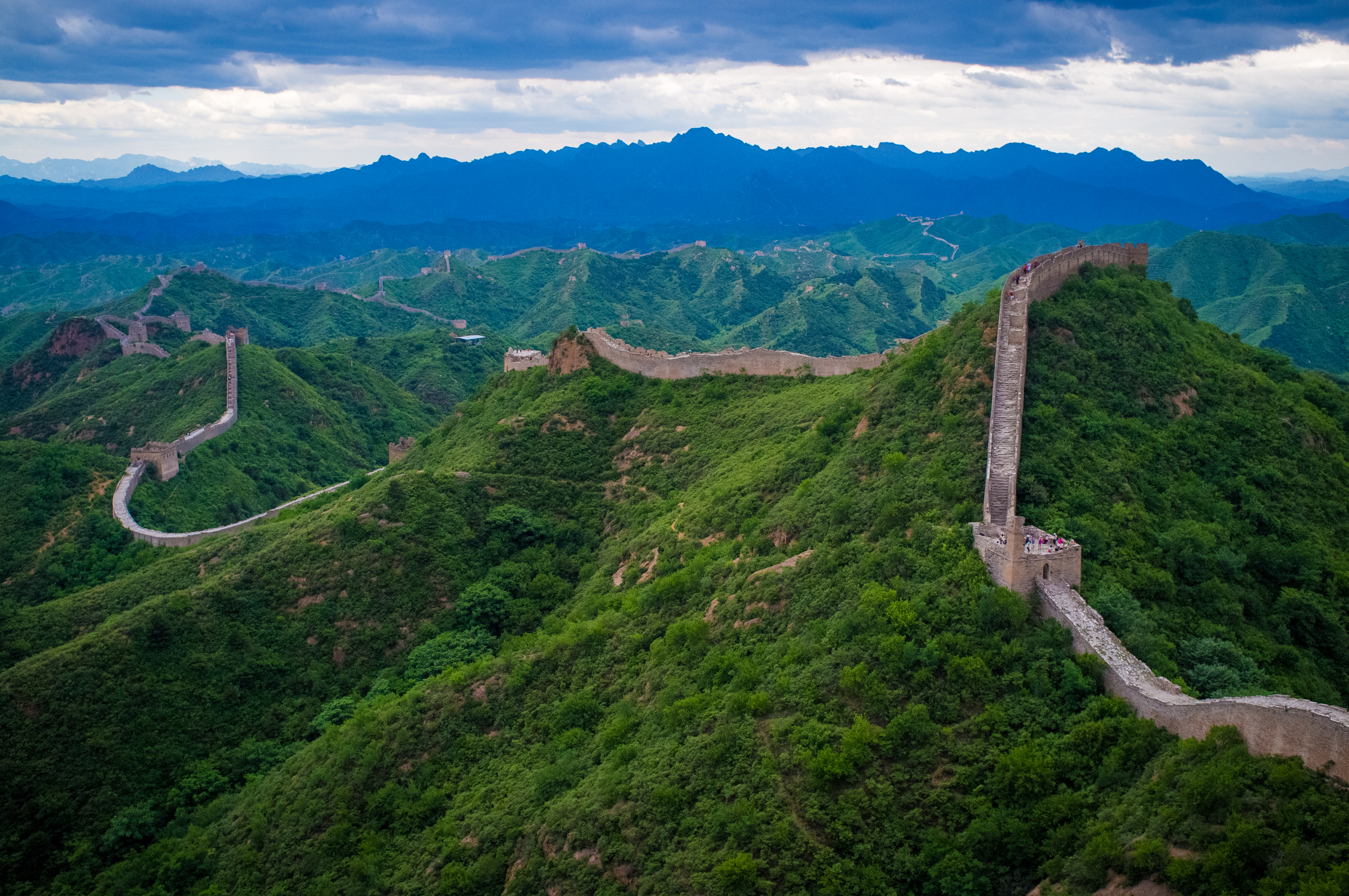
Some locations that could be featured include; The Sydney Opera House, The Eiffel Tower, Big Ben, Mount Rushmore, The Great Wall of China, The Golden Gate Bridge and more. The Sydney Opera House portion could feature a deadly meteor storm, forcing the player to move quickly. It would start at the bottom of the building and have the player climb to the top, ending with the player running across the top of the building. The Eiffel Tower level could use a deadly earthquake as it's apocalyptic scenario. The camera would pan to the top of the Eiffel Tower to show that the painting/window is at the very top to show the player where they had to go. As the player climbed the tower earthquakes of various magnitudes would shake it, causing some platforms to fall/move which will cause the player to think fast and react quickly. As the player reaches the top quarter of the tower a giant earthquake (think 9+ on the Richter Scale) will cause the tower to start to fall. The player will still be playing while the tower topples over. It would be designed that the player reaches the painting(which is falling as well) just before it hits the ground.




There will be three main characters in this game. The first character will be the that the player controls, he will be a museum guard that got pulled into a 'magic' painting, this will be the beginning of the game. This character will be nameless as well as a silent protagonist. The second character will be the Senior Exhibit Designer, he will be an older man and will tell the player his overarching goals, he will also be the one to tell the player how to play. His name will be Gregory Henderson, Greg for short. The third character will be another guard from the museum, she would have entered the 'magic' painting before the main character. She will be the one to tell the player where to go in levels, usually in the form of hints and, at some points, she might be in the level with the main character. Her name will be Zoey Klerks.
I will be posting more thoughts and ideas for each section either in another post, or in an edited version of this post.
Tuesday, 18 February 2014
THE TASK OF TWO
TASK TWO
Q1:
I consider a game level to be a mission or game area in which the player interacts with the game itself. Another use of levels in gaming is the levelling system that many games employ. The levelling system is simple, every time the player kills an enemy or completes a quest they earn "exp", when they earn enough exp they level up. This system allows the player to feel accomplished as the more enemies they defeat the stronger their character becomes.
Q2:
A level designers job is to craft the areas in which the player actually plays. It's arguably one of the most important roles in game design, as if you have a great game concepts and mechanics it's all pointless if the player doesn't like actually playing it. The level designers job has evolved quite a bit over the history of gaming, going from inserting simple sprites as walls to shaping entire planets in 3D space.
Q3:
Future possibilities for level designers are very closely connected to the future of game designers. As more game mechanics are created by the game designers more and more paths and levels open up for the level designers. Level designing has always revolved around game mechanics and as such it has quite a bright future ahead.
Q4:
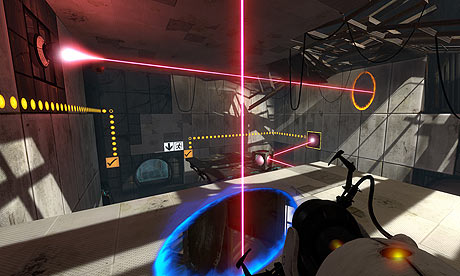
A good example of great level design would be the entirety of "Portal 2". It's main mechanic is a gun that shoots two portals and the level design almost completely revolves around that. The levels in Portal 2 go from quite simple early on, but once you progress through the game the levels ramp up in difficulty. Some levels require a lot of thinking and puzzle solving(har har) to complete. The difficulty can lead to a lot of player frustration, this however is fine as the feeling of accomplishment when you succeed in figuring a puzzle out is a good reward.
I consider a game level to be a mission or game area in which the player interacts with the game itself. Another use of levels in gaming is the levelling system that many games employ. The levelling system is simple, every time the player kills an enemy or completes a quest they earn "exp", when they earn enough exp they level up. This system allows the player to feel accomplished as the more enemies they defeat the stronger their character becomes.
Q2:
A level designers job is to craft the areas in which the player actually plays. It's arguably one of the most important roles in game design, as if you have a great game concepts and mechanics it's all pointless if the player doesn't like actually playing it. The level designers job has evolved quite a bit over the history of gaming, going from inserting simple sprites as walls to shaping entire planets in 3D space.
Q3:
Future possibilities for level designers are very closely connected to the future of game designers. As more game mechanics are created by the game designers more and more paths and levels open up for the level designers. Level designing has always revolved around game mechanics and as such it has quite a bright future ahead.
Q4:
A good example of great level design would be the entirety of "Portal 2". It's main mechanic is a gun that shoots two portals and the level design almost completely revolves around that. The levels in Portal 2 go from quite simple early on, but once you progress through the game the levels ramp up in difficulty. Some levels require a lot of thinking and puzzle solving(har har) to complete. The difficulty can lead to a lot of player frustration, this however is fine as the feeling of accomplishment when you succeed in figuring a puzzle out is a good reward.
Tuesday, 11 February 2014
THE TASK OF ONE
TASK ONE
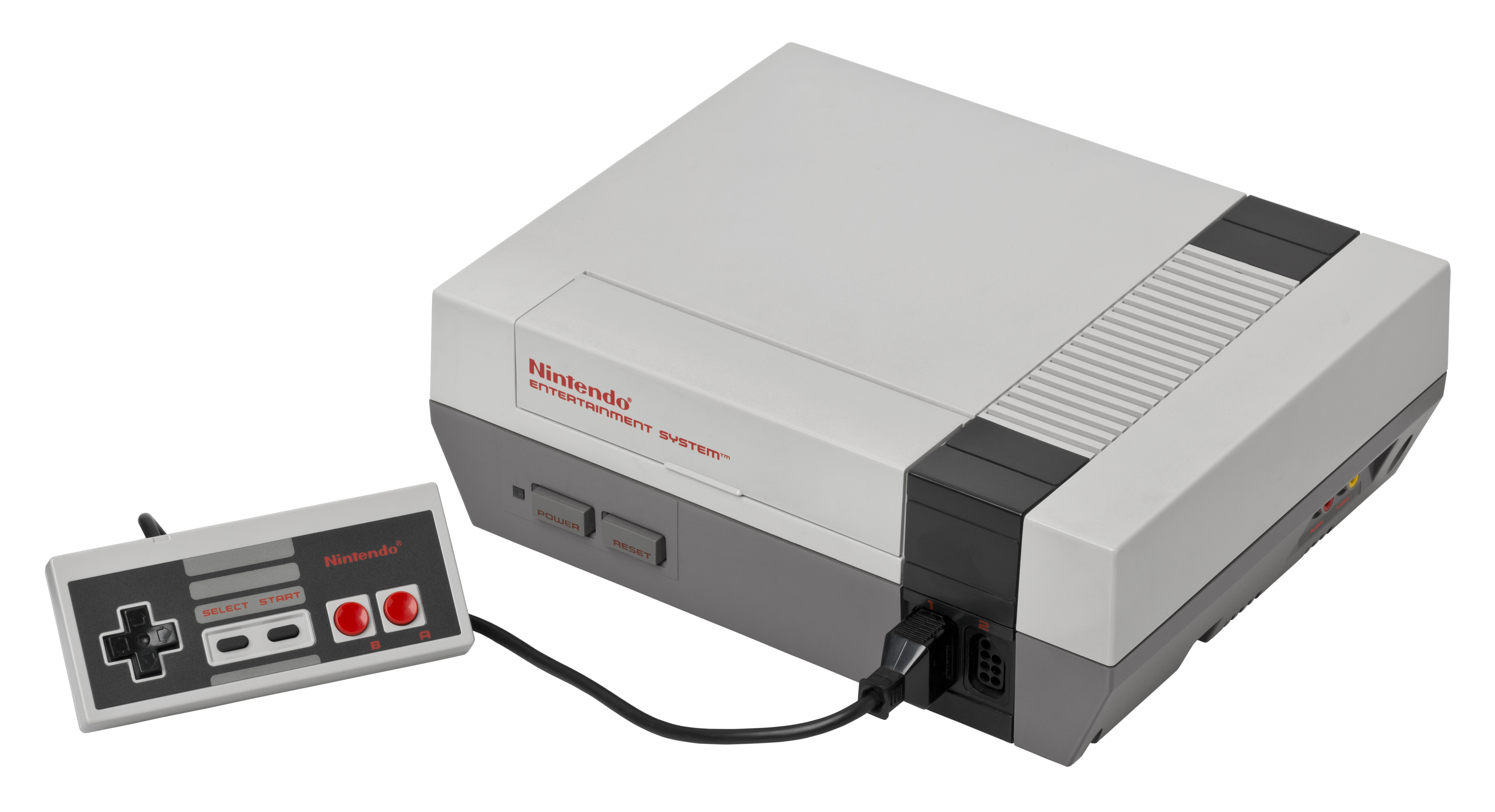
Q1:If I were a level designer in the 1980s, with the limitations of the time period, the games I would create would be simplistic platformers, maze games or puzzle games. For the platfomers I would develop something along the lines of the the classic "Donkey Kong" or "Metroid". These two games were some of the first platforming games and really set the standard in the industry. I would create a platformer for the "Nintendo Entertainment System", NES for short, which was released in July 1983. With the limitations of the hardware in mind the visuals of the game would be limited and since the controller consists of just a D-pad and two buttons the controls would be simple.


If I were to design a maze game it would be a very simplistic game with an obvious goal. The most obvious example would be "Pac-man" which was released in 1980. Pac-man showed people that simple design and simple gameplay can be fun and fulfilling. I would develop the maze game for the "Commodore 64" which was released in August 1982. The Commodore 64 used simple 8-bit graphics for the display, so a maze game would fit the console quite well, due to the walls and design of the levels.


If I were to create a puzzle game, it would have a constant gameplay mechanic with different levels to spice the game up. A good example of puzzle games in the 1980s would be "Tetris" which was first released in June 1984. I would design a puzzle game on the "Sega Genesis" which was released in 1989. The Sega Genesis used 16-bit graphics so the visuals in the game could be more appeasing to the player. As I stated before the gameplay mechanic would stay the same throughout the game, with the rest of the game relying on interesting level design.


Q2:
The first game that I played for this task was the classic "Donkey Kong" which was first released in 1981. The level system in this game is very simple and linear, get to the top of the level, proceed to next level, rinse and repeat. Each level is different from the one before and they usually add a new gameplay element, or use an old one in a new way. The environment of the game is quite bland, with a black backdrop on all the levels and the only colour being the characters and platforms.
The second game that I played was "Grand Theft Auto" which was released in October 1997 on multiple platforms. Grand Theft Auto is one of the first games to feature open world gameplay, which allows the player to do anything they wanted as long as it is within the games map. It has a few segments that drop the player into different environments, though the open world gameplay stays the same. The levels are all quite similar, though there are certain differences in each level.
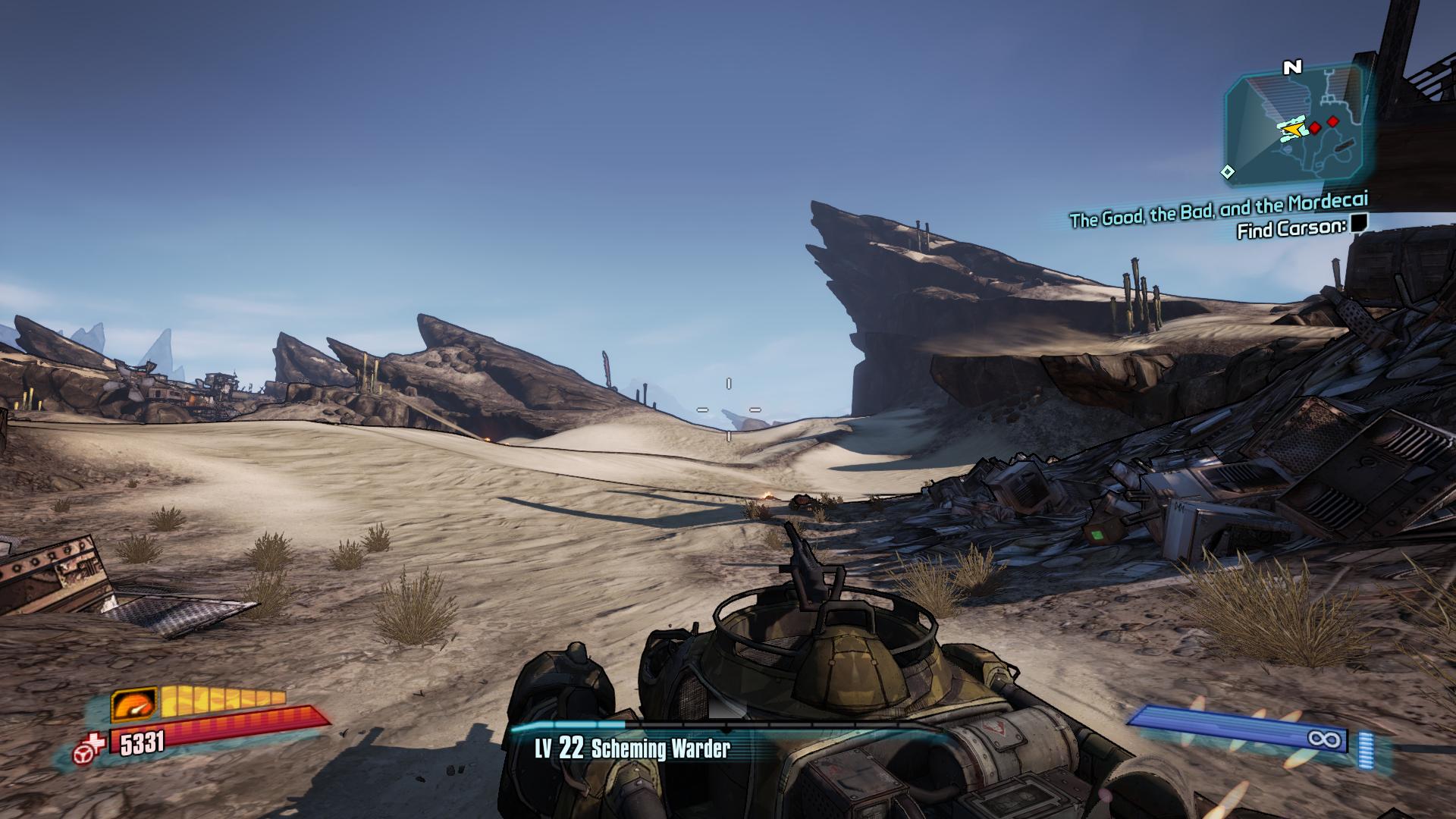
The last game that I played for this task was "Borderlands 2" which was released in September 2012. The levels in this game range from giant rocky deserts to more linear indoor sections. The player can usually navigate all of the levels in the game as they see fit, with quest markers showing where to go to progress through their task. There are exceptions to this however, as there are a few levels that are quite linear. There are multiple environments incorporated into the levels in the game, some of which range between icy tundras to deserted deserts. Compared to the other games I have reviewed, I personally enjoy the level design in Borderlands 2 more than the others.



Q3:
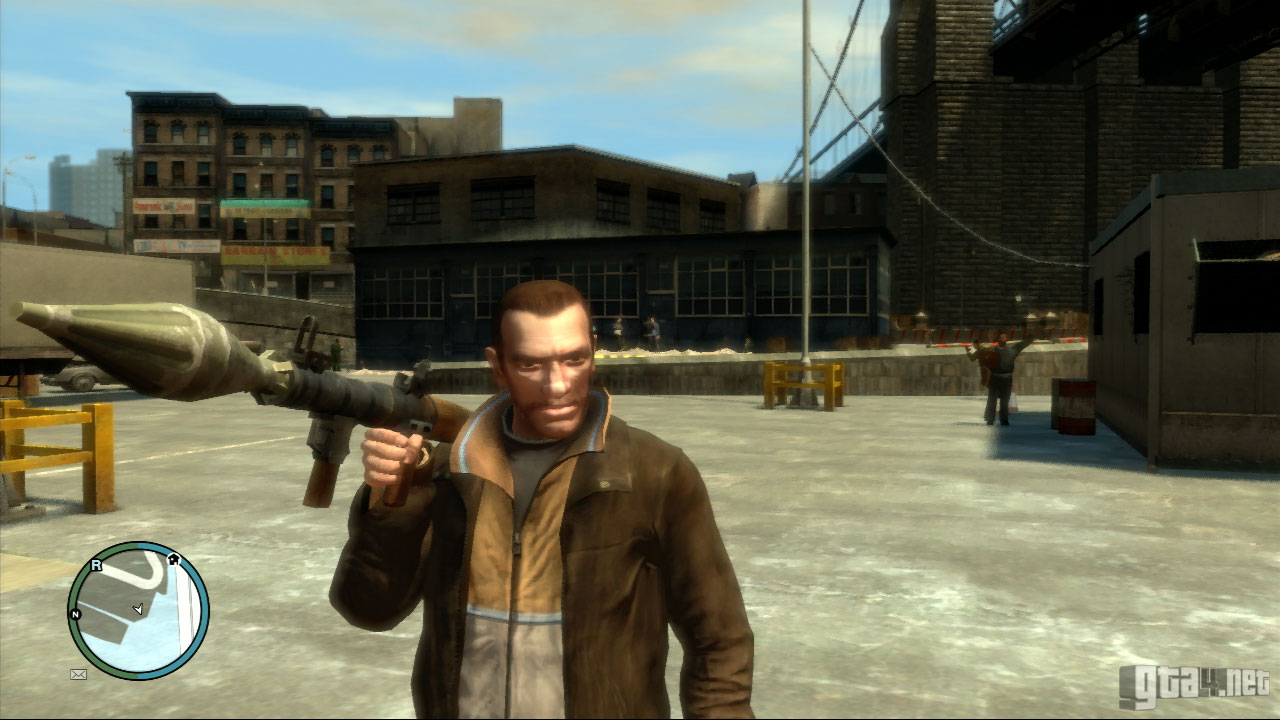
A games genre affects it's levels in quite a substantial way. For example, a sidescroller like Super Mario World is going to have linear levels while a 3rd person shooter like Grand Theft Auto IV is more likely to have an open world environment. An example of this is the plaformer "Donky Kong". It's level design is extremely linear as the player only has one direction to progress, up. Donkey Kong's levels were designed around this linearity and keeps the same simple level design while adding more and more challenges to impede the player from reaching the top and saving the princess, which is the main objective in the game.

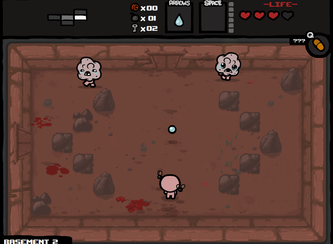
A second example of this is the top-down roguelike game "The Binding of Isaac" which features randomly generated dungeons for the player to explore. The level structure is quite simple, get to the boss room, defeat the boss and move on to the next level. However, there are a lot of side paths that the player can, and is advised to, take, as these optional paths can provide the player with items that will help them progress through the game. The main objective of the whole game is to reach the end of the 'final' level and defeat the 'final' boss. The Binding of Isaac is quite unique with how it does this because once you defeat the 'final' boss it will let your next character in you next playthrough progress past the final boss which gives the player even more to do and offers an astounding amount of re-playability.
A third example of a game's genre effecting it's level design is the first person shooter "Team Fortress 2". Team Fortress 2's level design is completely based around team gameplay and every map displays this. There are different game modes in Team Fortress 2 and each one has it's own maps and level designs. For example, one gamemode is a variant of the classic 'capture the flag' mechanic. In maps that use this gamemode both sides of the map are designated to each team, one side for Team RED, one for Team BLU. These maps are usually mirrored, to create fairness to both teams. The main goal of the game differs from gamemode to gamemode, however every player is playing to win, so that's the main objective.

Comparing these three examples clearly shows that game genres can, and do, effect the level design. It shows that most platformers and side scrollers are pretty linear in their level design. This doesn't detract from their appeal however, as a lot of the most successful games ever are one of these genres. Comparing these examples also shows that first person shooters can have a wide variety of levels that can change depending of the genre and in the case of Team Fortress 2, it can even have a plethora of levels that are completely different depending on what gamemode you are playing.
Subscribe to:
Posts (Atom)